

Key takeaways
- All‑in‑one SEO basics – Webflow automatically creates XML sitemaps, robots.txt, clean semantic HTML, SSL and fast CDN hosting, so search engines can crawl and rank your site without any extra plugins or server tweaks.
- Full meta‑data & schema control – Every page has editable title, description, Open Graph, canonical URL, and you can add JSON‑LD or use Webflow’s native schema (FAQPage, HowTo, LocalBusiness) to make your content AI‑readable and eligible for answer‑engine citations.
- Performance & AI friendliness – Built‑in responsive design, minimal code bloat, and strong Core Web Vitals give you fast load times (a ranking factor) while clear question‑answer headings and structured data let AI tools like ChatGPT, Perplexity and Google AI Overviews pull your content directly as the answer
Most business websites are built on platforms that require constant maintenance, plugin updates, and developer involvement for basic changes. Webflow takes a different approach.
This article covers 15 specific reasons why Webflow works well for business website development, from no-code design freedom to built-in SEO and reduced ongoing maintenance.
What is Webflow
Webflow is a visual website builder that writes code for you as you design.
You work on a canvas that looks like Figma or Sketch. Drag elements onto the page, style them with visual controls, and Webflow generates the HTML, CSS, and JavaScript in the background. No coding required on your end.
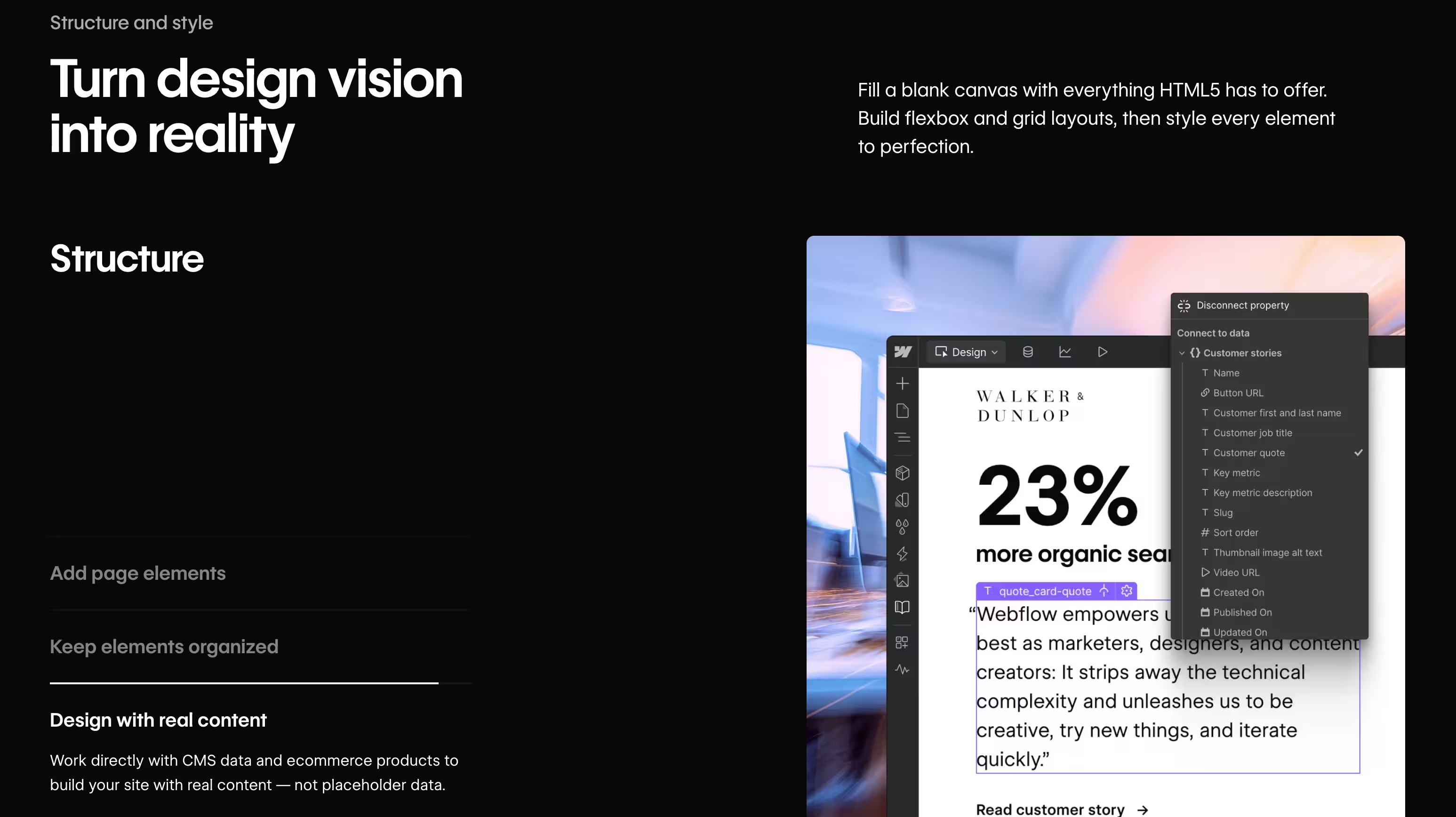
This differs from traditional development, where someone writes code line by line. It also differs from WordPress, where you start with a pre-built theme and modify it through settings panels or plugins. With Webflow, you're designing from scratch in a visual environment, and the platform handles the technical output.
Why businesses are choosing Webflow for website development
Webflow closes the gap between design and development.
What you create in the visual editor is exactly what goes live. There's no handoff to a developer who interprets your mockup differently. There's no "that's not quite what I meant" back-and-forth.
For small and medium businesses, this translates to a few practical advantages:
- Design freedom: You're not constrained by what a template allows
- Team independence: Marketing can update content without filing developer tickets
- Lower ongoing costs: No plugin subscriptions, no separate hosting bills, no security patches to manage
The result? A professional website that your team can actually maintain.
15 reasons to choose Webflow for business website development
1. No-code visual builder for professional results
Webflow's visual canvas lets you build by clicking, dragging, and adjusting controls. You place a heading, style it, position it, and move on. The platform writes clean code as you work.
Compare this to WordPress, where changing a layout often means editing theme files or installing a page builder plugin. With Webflow, the person designing the site is also building it. No translation layer in between.
2. Clean semantic code without manual development
Every element you place generates production-ready HTML, CSS, and JavaScript. The code is semantic, meaning it's structured in a way that browsers and search engines can interpret clearly.
Why does clean code matter? It loads faster. It works better with screen readers and assistive technologies. And it gives search engines clear signals about your content hierarchy, which helps with rankings.
3. Built-in SEO controls for search visibility
Webflow includes SEO tools natively. You don't install a plugin and hope it doesn't conflict with your theme.
The platform handles:
- Meta titles and descriptions: Editable on every page
- Alt text: Built into the image upload workflow
- Auto-generated sitemaps: Updated each time you publish
- 301 redirects: Managed through a simple interface
With WordPress, you'd typically install Yoast or RankMath, configure settings, and troubleshoot when something breaks. Webflow bakes this functionality in from the start.
4. AEO and structured data for answer engines
Answer Engine Optimisation (AEO) focuses on making your content citable by AI-powered search tools. Think ChatGPT, Perplexity, and Google's AI Overviews.
Webflow supports custom code injection, so you can add schema markup to your pages. Schema markup is structured data that helps AI systems understand what your content is about, who wrote it, and how it relates to other information.
As search shifts from "ten blue links" to direct answers, having content that AI can parse and cite becomes increasingly valuable.
5. Fast page load speeds and Core Web Vitals
Core Web Vitals are Google's metrics for user experience. Three numbers matter most:
- LCP (Largest Contentful Paint): How fast the main content loads
- CLS (Cumulative Layout Shift): How stable the layout is as elements load
- INP (Interaction to Next Paint): How responsive the page feels when you click something
Webflow sites typically perform well on all three. The platform uses a global CDN, optimises images automatically, and doesn't carry the bloat of unnecessary plugins slowing things down.
6. Responsive design across all devices
Webflow's breakpoint system lets you adjust layouts for desktop, tablet, and mobile views visually. Click a device icon, make adjustments, and see the result immediately.
You're not writing CSS media queries by hand. You're not hoping your WordPress theme handles mobile gracefully. You're directly controlling how the site looks at each screen size.
7. Secure Webflow hosting with SSL included
Every Webflow site includes free SSL certificates, automatically provisioned and renewed. The hosting runs on AWS infrastructure, which is the same backbone many enterprise applications use.
There are no plugins to exploit, no core updates to apply, and no third-party code introducing vulnerabilities. WordPress sites, by contrast, often require security plugins, regular updates, and constant vigilance against compromised extensions.
8. Webflow CMS for non-technical team editing
Webflow's Editor mode gives marketing teams a simplified interface. They can change text, swap images, and publish blog posts without touching the design tools.
This separation protects your design while empowering your team. The content editor sees only what they can safely change. No accidental deletions, no broken layouts.
9. Real-time visual editor with live preview
Changes appear instantly as you make them. There's no "preview" button for most edits. What you see on your screen is what visitors will see on theirs.
This immediate feedback speeds up the design process considerably. You're not waiting for a page to rebuild or refreshing to check your work.
10. Third-party integrations and native connections
Webflow connects with tools businesses already use:
- Marketing: HubSpot, Mailchimp, Google Analytics
- Payments: Stripe, PayPal
- Automation: Zapier, Make
- Custom embeds: Any JavaScript snippet or iframe
You're not locked into Webflow's ecosystem. As your needs evolve, you can extend functionality without rebuilding the site.
11. Automatic backups and version history
Every time you save, Webflow creates a restore point. Made a mistake three days ago? Roll back to that version.
WordPress typically requires backup plugins or hosting-level solutions that you configure yourself. With Webflow, version history is built in and accessible with a few clicks.
12. Team collaboration with user permissions
Role-based access controls let you define who can do what. This structure works well for agencies managing client sites or businesses with multiple team members who have different responsibilities.
13. Custom interactions and animations
Webflow's native animation builder handles scroll effects, hover states, and page transitions. No code, no plugins.
Thoughtful animations guide attention and reinforce brand personality. They can also improve perceived performance by giving users visual feedback while content loads. You create them visually rather than writing JavaScript or hiring a developer.
14. Landing page creation at scale
Using Webflow's CMS, you can create template-driven pages that pull in dynamic content. Build one landing page design, then generate dozens of variations for different campaigns, locations, or products.
This approach is particularly useful for businesses running multiple marketing campaigns at once. One template, many pages, consistent design.
15. Reduced ongoing maintenance and updates
No plugin conflicts. No core updates breaking your site. No security patches to apply manually.
Webflow handles the infrastructure. You focus on your business. For SMBs without dedicated technical staff, this is often the most valuable benefit of all.
What are the limitations of Webflow for business websites
Webflow suits most SMB use cases, but it's worth understanding where the platform has constraints.
Learning curve for advanced features
The visual interface has depth. Basic pages are straightforward, but mastering interactions, CMS relationships, and custom code takes time.
Non-designers often benefit from onboarding or working with someone who already knows the platform well.
Pricing structure considerations
Webflow's pricing can confuse new users. Site plans cover hosting and features. Workspace plans cover collaboration tools. Here's a simplified view:
[[table]]
Support and training options
Webflow offers email-based support only. No live chat. Webflow University provides comprehensive tutorials, but it's entirely self-serve.
For hands-on guidance, working with a Webflow partner often makes more sense than navigating the learning curve alone.
Is Webflow right for your business website
Webflow works best for businesses that want design control, in-house editing capability, and minimal ongoing maintenance.
Businesses that benefit most from Webflow
- Service businesses: Clear messaging and lead generation focus
- Scale-ups: Professional presence without hiring in-house developers
- Agencies and consultancies: Frequent content updates without developer involvement
- Small e-commerce: Strong branding with manageable product catalogues
When to consider Webflow alternatives
Complex web applications, membership sites with advanced logic, or large e-commerce catalogues with thousands of products may suit other platforms better. Webflow excels at marketing websites. It's not trying to be everything.
Want a deeper comparison? Read my breakdown of the main differences between WordPress and Webflow.
Why SMBs choose Webflow with a specialist partner
A Webflow expert handles the technical build while ensuring the site is optimised for both search engines and answer engines from the start.
I combine Webflow development with AEO. Your site isn't just visually polished. It's structured to be found in traditional search and cited in AI-generated answers.
If you're considering Webflow for your business, that's exactly what we offer: a site built to perform where your customers are actually looking.
FAQs about Webflow for business website development
How does Webflow compare to WordPress for business websites?
Webflow combines design, CMS, and hosting in one platform with no plugins required. WordPress offers more extensibility but demands ongoing maintenance, security updates, and often developer support for customisation.
Can I migrate an existing website to Webflow?
Yes. Content and structure can be migrated, though designs are rebuilt natively rather than imported. This ensures clean code and full optimisation rather than carrying over legacy issues from the old site.
Do I need a developer to build a Webflow business site?
Non-technical users can build basic sites using Webflow's visual tools. Businesses seeking custom design, CMS structure, or AEO optimisation typically benefit from working with a Webflow specialist.
What is the typical timeline for a Webflow business website project?
A standard SMB Webflow site takes several weeks from discovery to launch. The timeline depends on complexity, content readiness, and revision cycles. Simpler sites can launch faster.
How does Webflow handle e-commerce for business websites?
Webflow includes native e-commerce features for product catalogues, checkout, and payment processing. It's well-suited for businesses with smaller product ranges who prioritise design and brand experience over advanced inventory management.
Choosing Webflow
Webflow combines design, CMS, and hosting in one platform with no plugins required. WordPress offers more extensibility but demands ongoing maintenance, security updates, and often developer support for customisation.
Yes, especially from WordPress. Content and structure—like posts, pages, and CMS data—can be migrated using Webflow's import tools or specialist services, though designs are rebuilt natively rather than imported. This ensures clean, semantic code and full optimisation, leaving behind WordPress legacy issues like plugin bloat, theme conflicts, and maintenance headaches from the old site.
Non-technical users can build basic sites using Webflow's visual tools. Businesses seeking custom design, CMS structure, or AEO optimisation typically benefit from working with a Webflow specialist.
A standard SMB Webflow site takes several weeks from discovery to launch. The timeline depends on complexity, content readiness, and revision cycles. Simpler sites can launch faster.
Webflow includes native e-commerce features for product catalogues, checkout, and payment processing. It's well-suited for businesses with smaller product ranges who prioritise design and brand experience over advanced inventory management.
| Plan type | Best for | Key limitation |
|---|---|---|
| Basic | Simple brochure sites | No CMS |
| CMS | Blog or content-driven sites | Item limits on lower tiers |
| Business | Client billing, advanced forms | Higher monthly cost |